
Every product team has been there. You've got a great idea for an AI-powered feature. The demo works. Stakeholders are excited. But then reality hits: scaling issues, data pipeline headaches, model drift, and users who don't trust the output.
Building AI-driven products isn't just traditional software development with a machine learning model bolted on. It requires a fundamentally different approach: one that accounts for probabilistic outputs, continuous learning loops, and the messy reality of production data.
This guide covers the best practices for AI-driven product development that actually work in production environments. You'll learn how to move from an AI prototype to a scalable product, avoid common pitfalls, and build systems that deliver real value, not just impressive demos.
Whether you're a startup founder building your first AI product or an enterprise team integrating AI into existing systems, these practices will help you ship faster and fail less.
Why Is AI Product Development Different from Traditional Software Development?
If you've built traditional software, you're used to deterministic systems. Write a function, give it input X, and you'll always get output Y. AI products don't work that way.
They're probabilistic; given input X, you might get output Y, but you might also get Y' or Y''. And that changes everything about how you build, test, and ship.
Data-Driven Systems vs Deterministic Software
Traditional software follows explicit rules. A login form checks credentials against a database. A shopping cart calculates totals. The logic is clear, testable, and predictable.
AI systems learn patterns from data instead. A recommendation engine doesn't follow a script; it infers what users might want based on historical behavior. This creates some fundamental differences:
Aspect | Traditional Software | AI-Driven Products |
| Logic source | Explicit code rules | Learned from data patterns |
| Output predictability | Deterministic (same input = same output) | Probabilistic (confidence scores, variance) |
| Testing approach | Unit tests, integration tests | Model validation, A/B testing, monitoring |
| Failure modes | Bugs, edge cases | Model drift, data quality issues, bias |
| Debugging | Trace through the code | Investigate data, features, and model behavior |
This means your QA process needs to change. You can't just write unit tests and call it done. AI products require ongoing monitoring, retraining pipelines, and fallback systems for when the model makes mistakes.
The Role of Continuous Learning and Model Iteration
Traditional software ships once and runs until the next update. AI products never really "ship" in the same way; they enter a continuous cycle of learning and improvement.
Model iteration isn't optional. As user behavior changes and new data flows in, your model's performance will drift. The recommendations that worked six months ago might not work today. The fraud patterns you trained on have evolved.
This is where MLOps practices come in. Just as DevOps revolutionized traditional software delivery, MLOps provides the infrastructure for continuous model training, validation, and deployment.
Key elements include:
- Version control for data and models: Track which data trained which model, so you can reproduce results and roll back when needed.
- Automated retraining pipelines: Set up triggers that retrain models when performance drops below thresholds or when new labeled data becomes available.
- Continuous monitoring: Track model performance in production—not just accuracy metrics, but business outcomes the model affects.
- A/B testing infrastructure: Safely compare new model versions against production models before full rollout.
The CRISP-DM (Cross-Industry Standard Process for Data Mining) framework captures this cycle well: business understanding, data understanding, data preparation, modeling, evaluation, and deployment, then back to business understanding as you learn what's working.
AI product development isn't a one-time project. It's an ongoing program that needs dedicated resources, clear ownership, and realistic expectations about what "done" means.
The AI-Driven Product Development Lifecycle
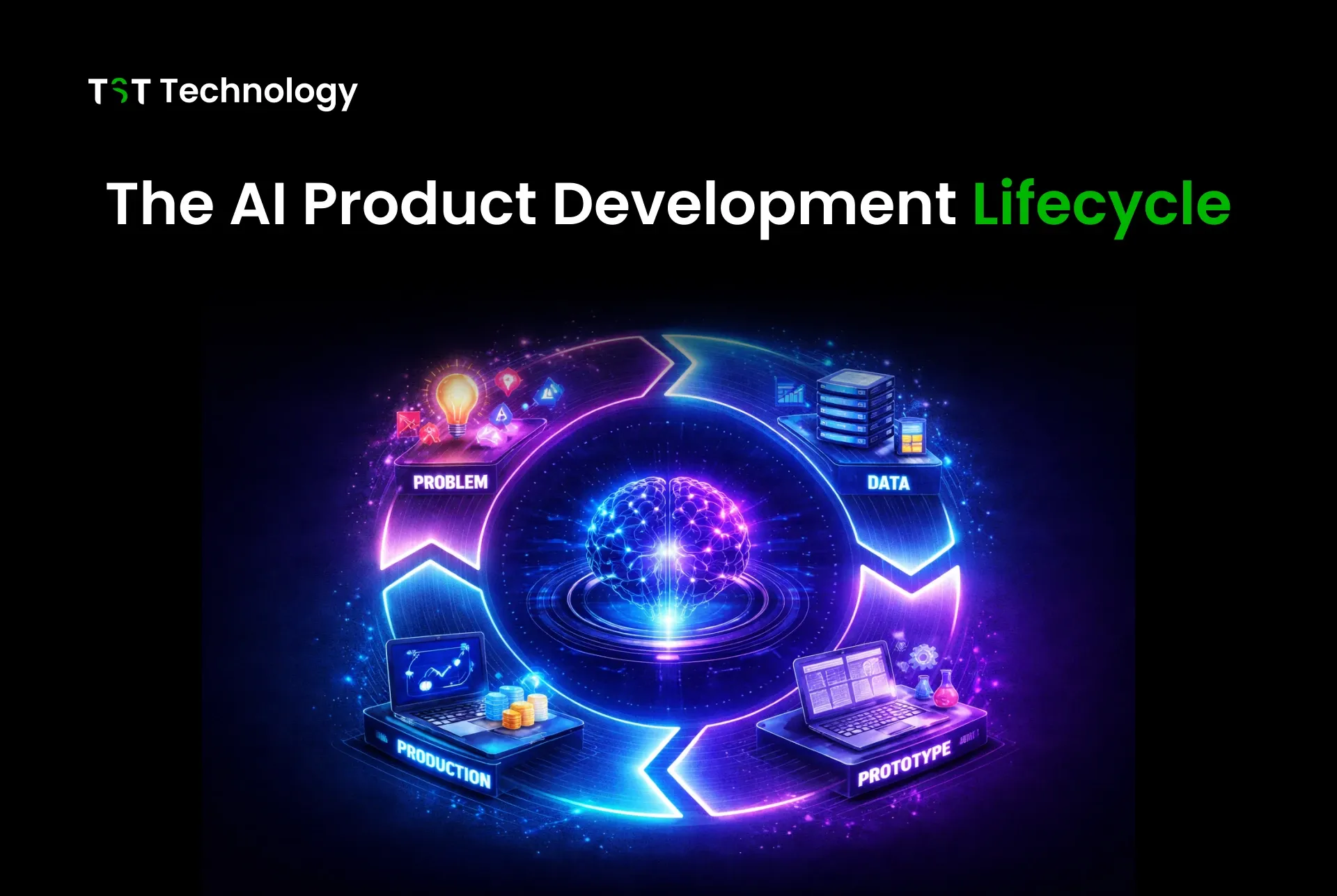
AI products don't follow a linear path from idea to launch. They cycle through phases, often looping back as you learn what works and what doesn't. The AI product development lifecycle typically includes four major phases, each with its own challenges and decision points.
Problem Identification and AI Opportunity Mapping
Before writing any code, answer this question: What problem are you actually solving with AI?
Too many teams start with "we need AI" and work backward. That's backwards. Start with the business problem, then determine if AI is the right solution.
Questions to ask:
- What specific user pain point or business inefficiency are we addressing?
- Is AI the best solution, or would a rules-based approach work better?
- Do we have (or can we get) the data needed to train and maintain an AI system?
- What does success look like, and how will we measure it?
Map out AI opportunities by scoring potential use cases on two axes: business impact and AI feasibility. High impact + high feasibility = your best starting points. Low feasibility doesn't mean "no AI,"; it means "needs more groundwork" before you're ready to build.
Data Collection and Preparation
Data is the foundation of any AI product. Garbage in, garbage out isn't just a saying; it's the primary reason AI projects fail.
Key activities in this phase:
- Data audit: What data do you have? Where does it live? Who owns it?
- Data cleaning: Handling missing values, outliers, inconsistencies
- Feature engineering: Creating signals the model can learn from
- Labeling: Getting ground truth labels for supervised learning tasks
- Data pipelines: Building reliable systems to move and transform data
Plan for 60-80% of your project time to go into data work. That's not overhead; that's the actual work of building an AI product. Skimp here, and your model will fail in production.
AI Prototyping and Experimentation
Don't commit to a full build before validating your approach. Prototyping answers the question: "Can AI actually solve this problem with the data we have?"
Start with the simplest model that might work. A logistic regression or random forest often outperforms complex neural networks when data is limited. Your goal isn't to build the perfect model; it's to prove the concept is viable.
Prototyping checklist:
- Define baseline metrics (what does "good" look like?)
- Train initial models with cross-validation
- Test on held-out data that represents real-world conditions
- Identify data gaps or quality issues
- Estimate resource needs for production
If the prototype shows promise, move forward. If not, figure out why before investing more. Maybe the data isn't rich enough. Maybe the problem isn't well-suited for AI. Either way, better to know now than after six months of development.
Product Integration and Continuous Monitoring
Getting a model to work in a notebook is one thing. Making it work in a production product is another.
Integration involves:
- API development: Exposing model predictions to your application
- Performance optimization: Reducing latency for real-time use cases
- Fallback systems: What happens when the model fails, or confidence is low?
- User experience design: How do users interact with AI outputs?
Monitoring doesn't stop at model accuracy.
Track:
- Input data drift: Is the data distribution changing?
- Prediction quality: Are confidence scores stable?
- Business metrics: Is the AI actually improving outcomes?
- User feedback: Are people trusting and using the AI outputs?
The lifecycle isn't a one-time sequence. As monitoring reveals issues or new opportunities, you loop back, collecting more data, retraining models, or even reconsidering whether AI is the right approach for a given problem.
8 Best Practices for AI-Driven Product Development
The difference between AI products that succeed and those that stall often comes down to execution. Here are eight practices that separate teams building valuable AI products from those stuck in perpetual prototyping.
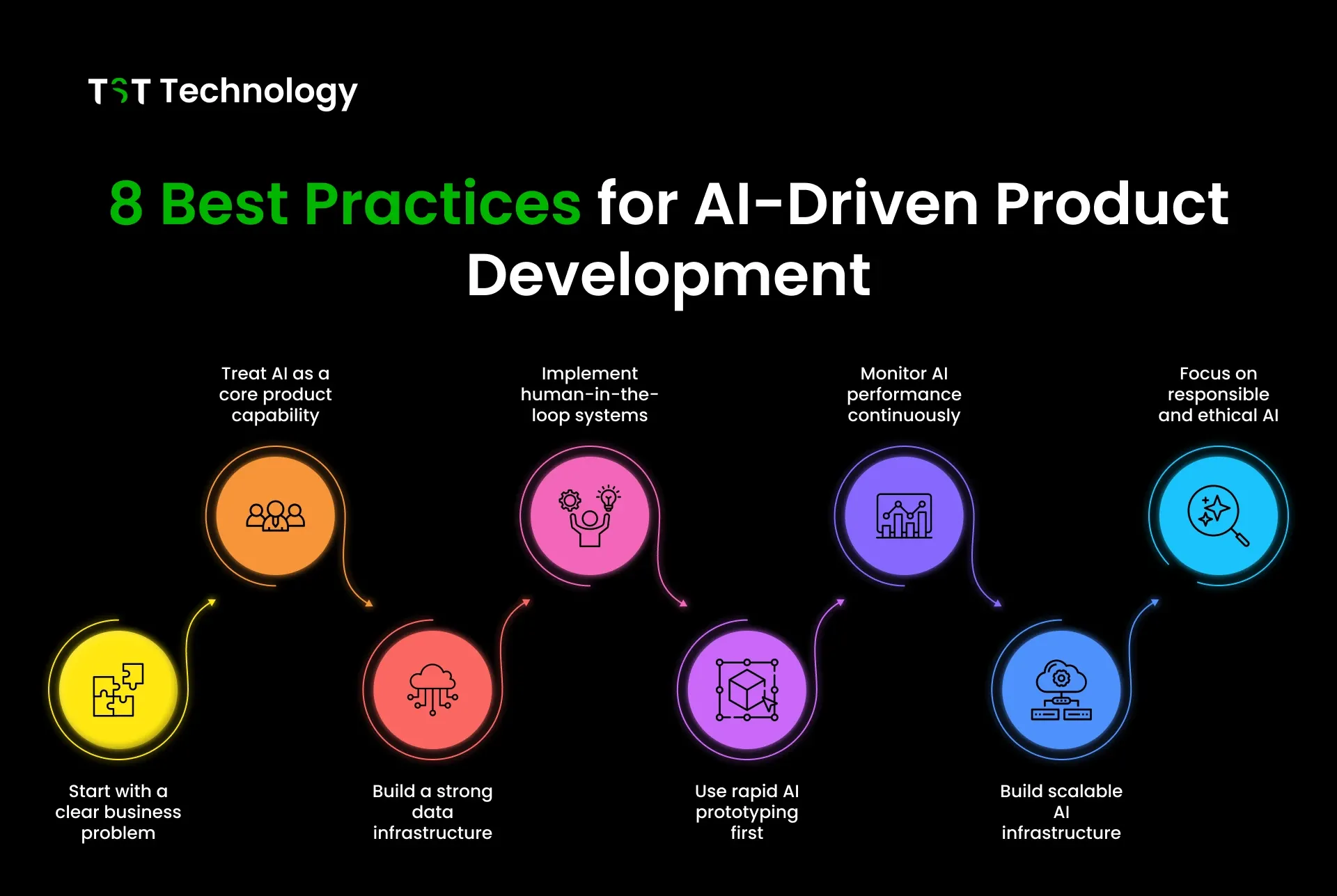
1. Start With a Clear Business Problem
AI for AI's sake is a recipe for wasted resources. Every AI project should tie to a specific business outcome: reducing support tickets, improving conversion rates, speeding up manual processes.
What this looks like in practice:
- Write a one-sentence problem statement before any technical work
- Define success metrics that business stakeholders care about (not just model accuracy)
- Get buy-in from the people who will use or be affected by the AI system
If you can't articulate the business problem clearly, you're not ready to build. Stop and figure it out.
2. Treat AI as a Core Product Capability
AI shouldn't be a science experiment separate from your product. It needs to be integrated into your product planning, design, and development processes from day one.
What this looks like in practice:
- Include ML engineers in product planning, not just implementation
- Design user experiences that account for AI uncertainty and failures
- Build feedback loops so users can correct AI mistakes
- Plan for the ongoing costs of model maintenance and retraining
When AI is an afterthought, it stays an afterthought. When it's core to your product strategy, you build the right infrastructure from the start.
3. Build a Strong Data Infrastructure
Models come and go. Data infrastructure is forever. The teams that win at AI are the ones that can quickly experiment with new models because they've invested in solid data foundations.
What this looks like in practice:
- Centralize data with clear ownership and access controls
- Build reproducible data pipelines (version-controlled, testable)
- Create feature stores so teams can share and reuse engineered features
- Implement data quality monitoring from the start
If your data scientists spend 80% of their time hunting for and cleaning data, you have an infrastructure problem, not a modeling problem. Check out this product development checklist for more on building solid foundations.
4. Use Rapid AI Prototyping Before Full Development
Never commit to a full build without proving the concept works. Prototyping de-risks AI projects by answering the "can this actually work?" question early.
What this looks like in practice:
- Time-box prototyping to 2-4 weeks
- Start with simple models before trying complex approaches
- Use synthetic or sampled data to move faster
- Define clear go/no-go criteria before you start
A prototype that fails fast saves months of wasted development. A prototype that succeeds gives you confidence and concrete metrics to justify further investment.
5. Implement Human-in-the-Loop Systems
AI systems make mistakes. The question isn't whether to have human oversight—it's where and how much.
What this looks like in practice:
- Identify high-stakes decisions that require human review
- Design clear escalation paths when AI confidence is low
- Build interfaces that help humans quickly validate or correct AI outputs
- Use human feedback to improve future model versions
Human-in-the-loop isn't admitting defeat. It's acknowledging reality and building systems that work despite imperfect AI. For customer-facing AI, consider whether AI agent development services could help you design more reliable human-AI workflows.
6. Monitor AI Performance and Reliability
Shipping a model is just the beginning. Without ongoing monitoring, you won't know when performance degrades until users complain.
What this looks like in practice:
- Track model metrics (accuracy, precision, recall, latency)
- Monitor input data distribution for drift
- Set up alerts for performance degradation
- Create dashboards that show business impact, not just technical metrics
- Plan regular model retraining cycles
Monitoring should answer two questions: Is the model still working? Is it still solving the business problem?
7. Build Scalable AI Infrastructure
What works for a prototype won't work for a production system serving thousands of users. Plan for scale from the start, even if you don't need it day one.
What this looks like in practice:
- Design APIs that can handle variable load
- Use containerization for consistent deployment environments
- Implement caching for frequently requested predictions
- Plan for data storage growth as you collect more training data
- Consider cloud vs. on-premise based on latency and compliance needs
Scalability isn't just about handling more users. It's about handling more models, more features, and more complexity as your AI capabilities grow.
8. Focus on Responsible and Ethical AI
AI systems can amplify biases, make opaque decisions, and create unintended consequences. Building responsibly isn't optional; it's essential for long-term success.
What this looks like in practice:
- Audit training data for bias before model development
- Test models across different user segments and edge cases
- Build explainability into predictions where possible
- Create clear governance for AI decision-making
- Document limitations and communicate them to users
Responsible AI isn't just about avoiding PR disasters. It's about building systems that users trust, regulators accept, and that actually work fairly for everyone.
Common Mistakes in AI Product Development
Even teams with the best intentions make avoidable mistakes. Here are the patterns we see repeatedly in failed AI projects and how to avoid them.
Building AI Without a Clear Use Case
This is the most common and costly mistake. A team gets excited about AI capabilities, builds something impressive technically, and then realizes nobody wants it.
Warning signs:
- You're starting with "we need AI" rather than "we need to solve X."
- Stakeholders can't articulate what success looks like
- You're building a demo rather than a product
The fix:
Write a one-page problem statement before any technical work. If you can't fill it out convincingly, you're not ready to build. Read more about why many SaaS products fail to understand how this pattern extends beyond AI.
Ignoring Data Quality
Teams often assume they have good data because they have some data. But data quality issues, such as missing values, inconsistent labeling, and sampling bias, will torpedo any AI project.
Warning signs:
- Data scientists spend most of their time cleaning, not modeling
- You're making assumptions about data quality without verification
- Different teams have different definitions of the same data fields
The fix:
Invest in data infrastructure before investing in models. Run a data audit as your first project. Create clear data quality standards and monitoring.
Over-Automating Too Early
AI can automate decisions, but not all decisions should be automated, especially early in a product's life. When you over-automate, you lose the feedback loops that help you improve.
Warning signs:
- Users can't override or correct AI decisions
- You've automated decisions you don't fully understand
- AI errors are compounding rather than being caught
The fix:
Start with human-in-the-loop systems. Automate incrementally as you build confidence. Keep humans in the loop for high-stakes or ambiguous decisions until the AI proves itself reliable.
Real-World Applications of AI-Driven Products
Let's look at how AI is actually being used in products today and what makes these applications work.
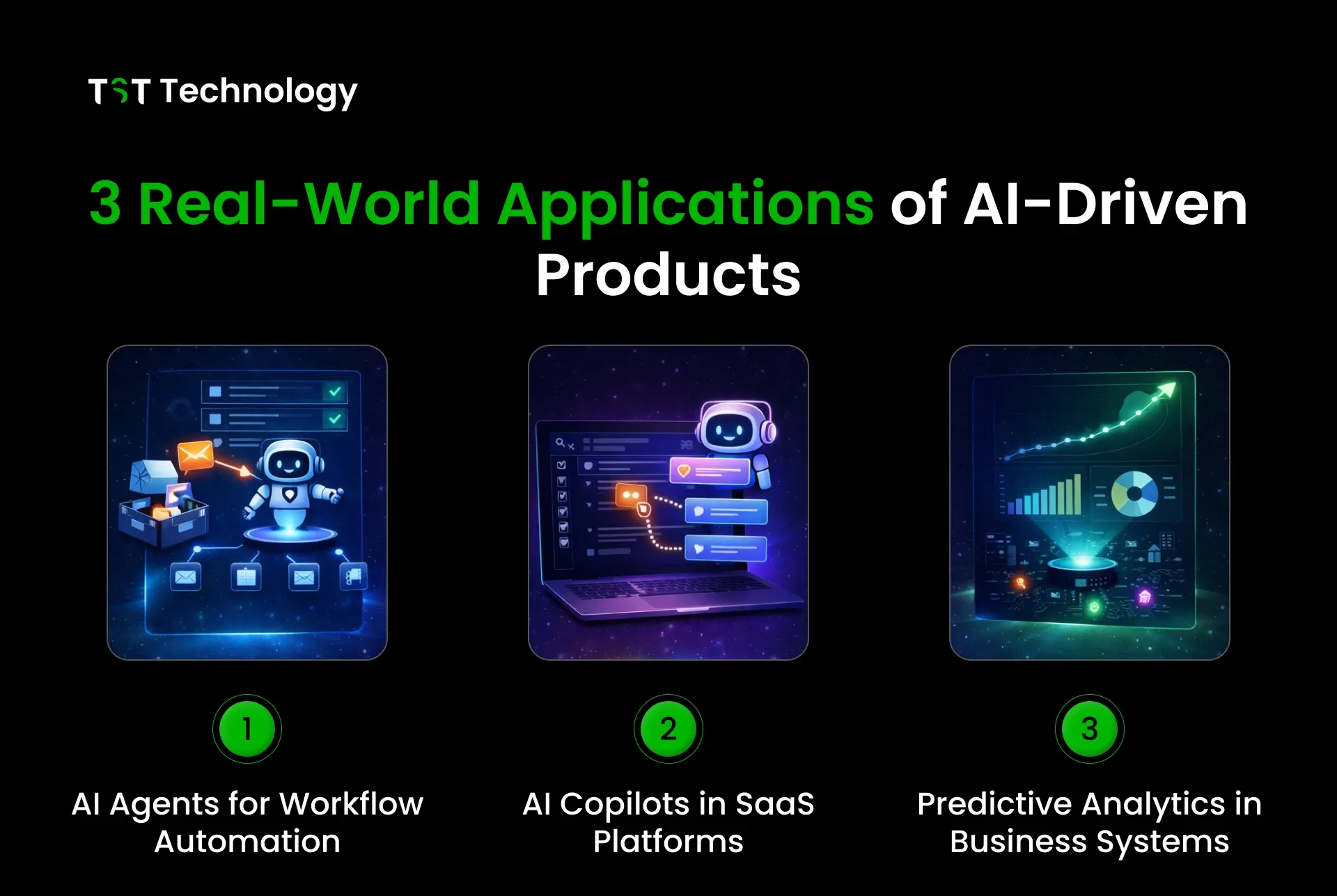
AI Agents for Workflow Automation
AI agents handle multi-step tasks that previously required human attention. Unlike simple chatbots, agents can take actions: sending emails, implementing email verification, updating records, and triggering workflows.
What makes them work:
- Clear task boundaries (agents know what they can and can't do)
- Human oversight for high-stakes actions
- Feedback loops that improve agent performance over time
- Fallback to human support when confidence is low
Examples include customer support agents who resolve routine tickets while escalating complex issues, and sales agents who qualify leads before human follow-up. The key is matching AI capabilities to tasks that are routine enough to automate but complex enough to justify the AI investment.
AI Copilots in SaaS Platforms
Copilots assist users within existing workflows rather than replacing them. They suggest next actions, draft content, or surface relevant information.
What makes them work:
- Tight integration with existing product workflows
- Clear value proposition (saves time, improves quality, reduces friction)
- Users can easily accept, modify, or reject suggestions
- Continuous learning from user interactions
GitHub Copilot, Microsoft 365 Copilot, and similar tools demonstrate this pattern. The AI doesn't take over; it augments. Users stay in control while benefiting from AI assistance.
Predictive Analytics in Business Systems
Predictive models help businesses anticipate outcomes and make better decisions. These range from demand forecasting to churn prediction to risk assessment.
What makes them work:
- Clear connection between predictions and business decisions
- Transparency about model confidence and limitations
- Human judgment remains part of the decision process
- Regular validation against actual outcomes
The most successful predictive systems don't just spit out predictions; they integrate into decision workflows. A churn prediction model that flags at-risk customers is useful. One that triggers automated retention campaigns is powerful.
How Does TST Technology Help Companies Build AI-Driven Products?
Building AI products requires a mix of product thinking, data engineering, ML expertise, and production infrastructure. Working with an experienced AI development company can help businesses accelerate development while reducing implementation risks.
Most organizations have some of these capabilities, but not all. That's where partnership makes sense.
AI Agent Development
TST Technology helps companies design and build AI agents that handle real business tasks. This isn't about impressive demos; it's about agents that integrate with your systems, follow your business rules, and improve over time.
What this includes:
- Agent architecture design aligned to your workflows
- Integration with existing systems (CRMs, databases, communication tools)
- Human-in-the-loop design for high-stakes decisions
- Monitoring and optimization for ongoing improvement
Whether you need customer support agents, lead qualification agents, or internal workflow automation, TST Technology AI agent development services provide end-to-end support from concept to production.
SaaS Product Development and AI Integration
Many SaaS companies want to add AI capabilities to existing products but struggle with the how: where to start, how to integrate, and how to maintain.
Our SaaS product development services help teams add AI features that enhance their products rather than complicate them.
This includes:
- AI opportunity assessment for your product
- Data infrastructure setup and optimization
- Feature development and integration
- Ongoing maintenance and model updates
The goal isn't to AI-wash your product. It's to add AI capabilities that genuinely improve user outcomes and that you can maintain and improve over time.
Conclusion
Every product team has a great AI idea. The difference between those who succeed and those who stall isn't the idea; it's the approach. AI-driven product development isn't traditional software with a model bolted on. It requires different thinking, different processes, and different expectations. You're building systems that learn, adapt, and sometimes fail in ways you didn't predict.
The teams that succeed share a few traits: they start with clear business problems, invest in data infrastructure before chasing model complexity, prototype early, and build systems that can be monitored and improved over time. They also know when AI is the right tool and when simpler solutions make more sense.
If you're building an AI product, start with the fundamentals. Define the problem. Audit your data. Build a quick prototype. Learn from it. Iterate. Don't fall into the trap of over-engineering before you've proven the concept. And if you need help, whether it's designing AI agents, integrating AI into existing products, or building from scratch, we have worked with companies across industries to turn AI concepts into production-ready products.
What AI product challenge are you trying to solve? The best next step is often a conversation.