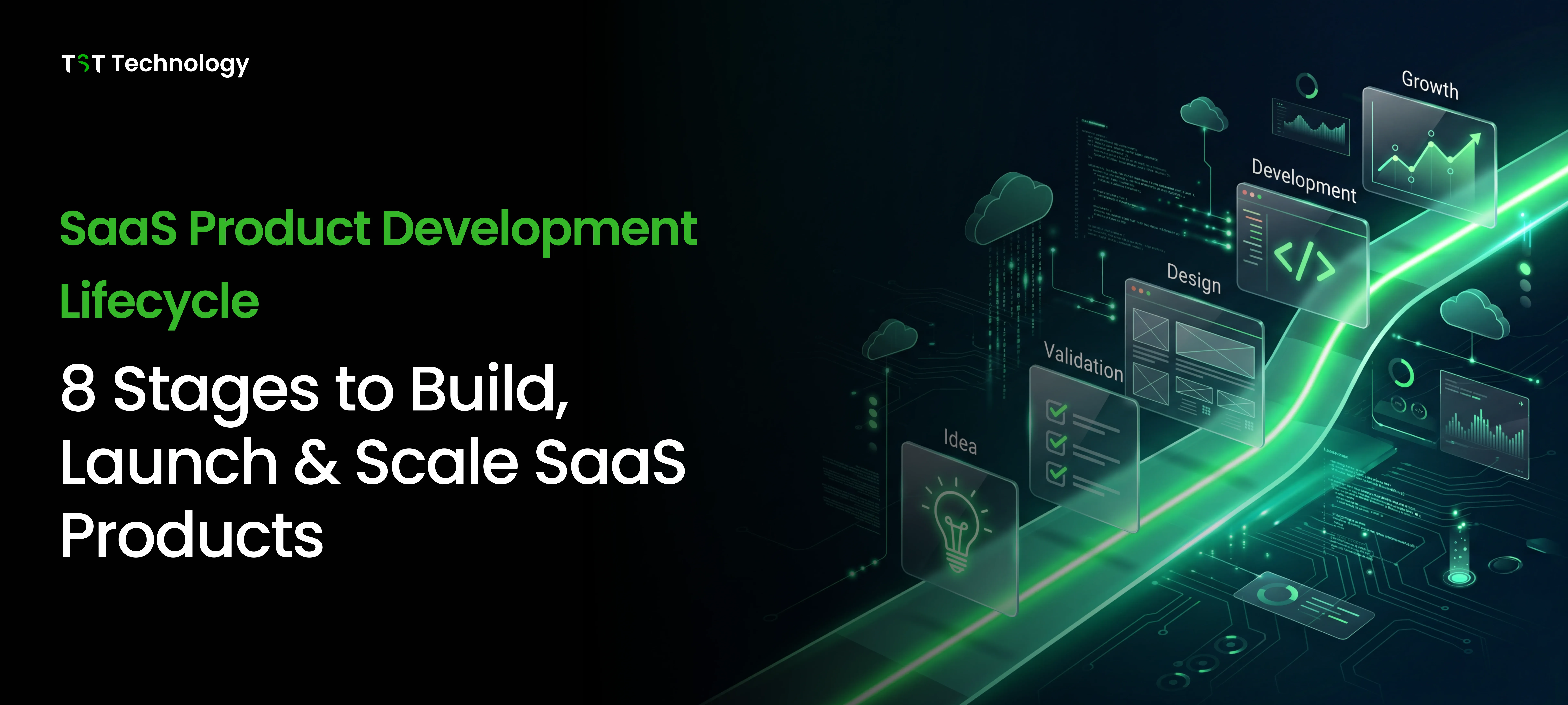

The SaaS industry continues to grow rapidly, but startup success remains rare. An analysis of explodingtopics shows that most startups fail not because of poor technology, but because they build products without real market demand. In fact, multiple industry reports suggest that up to 90% of startups fail overall, highlighting how risky product development becomes when validation is ignored early in the journey.
The risk compounds over time. Research summarized in recent reports reveals that around 10% of startups fail within their first year, while nearly 70% shut down between years two and five as scaling challenges and weak product-market fit begin to surface. These numbers reinforce a simple reality: success in SaaS is rarely about building faster; it’s about building the right product through a structured development lifecycle focused on validation, learning, and sustainable growth.
In this guide, I'll walk you through every stage of the SaaS product development lifecycle. We'll cover everything from initial ideation and market validation through deployment, scaling, and continuous improvement. You'll get practical frameworks for making architecture decisions, integrating quality assurance from day one, and avoiding the common pitfalls that sink most SaaS products.
Whether you're a founder planning your first SaaS product, a product manager scaling an existing platform, or a CTO evaluating technical strategy, this guide will give you the structured approach you need. Let's start by understanding what this lifecycle actually meansand why it differs fundamentally from traditional software development.
What Is the SaaS Product Development Lifecycle?
The SaaS product development lifecycle is the complete journey a cloud-based software product takes from initial concept through ongoing maintenance and evolution. Unlike traditional software that ships once and sits on customer servers, SaaS products live on your infrastructure, serve users continuously, and demand constant iteration based on real usage data.
This lifecycle isn't a linear path you walk once. It's a continuous loop where each phase feeds back into the others. Your launch teaches you about market fit. Your scaling efforts reveal architectural limitations. Your customer feedback drives new feature development. Understanding this cyclical nature is essential; treating SaaS development as a one-and-done project is a recipe for stagnation.
SaaS Lifecycle vs Traditional SDLC: Key Differences
Traditional software development follows the "ship it and forget it" model. You gather requirements, build the product, test it, release it, and move on to the next version. The customer installs it on their hardware and manages it themselves. Your relationship with the product essentially ends at delivery.
SaaS flips this model entirely. Here's how they compare:
Aspect | Traditional SDLC | SaaS Product Development Lifecycle |
| Deployment | One-time release to customer servers | Continuous deployment to cloud infrastructure |
| Revenue model | Perpetual license or one-time purchase | Subscription-based recurring revenue |
| Maintenance | Customer responsibility | Provider responsibility (you) |
| Updates | Major versions, customer-controlled | Continuous, provider-controlled |
| Feedback loop | Limited, often through support tickets | Real-time through usage analytics |
| Infrastructure | Customer-managed | Provider-managed |
| Security | Distributed across customer environments | Centralized, your responsibility |
The most important difference is the shift from a project mindset to a product mindset. Traditional SDLC treats software as a deliverable. SaaS lifecycle treats it as an ongoing service that requires continuous investment, monitoring, and improvement.
Why the SaaS Lifecycle Is Unique?
SaaS products operate under constraints that fundamentally change how you build and manage software. First, there's the multi-tenancy challenge: your single codebase serves hundreds or thousands of customers simultaneously, each with their own data isolation requirements and customization needs. One customer's traffic spike affects everyone. One security vulnerability exposes everyone's data.
Then there's the zero-downtime expectation. SaaS users don't accept maintenance windows. They expect your service to be available 24/7, which means deployments happen while traffic flows, database migrations run without locking users out, and failures get handled gracefully without anyone noticing.
The subscription model also changes the game entirely. In traditional software, you get paid upfront regardless of whether customers actually use your product. In SaaS, customers can cancel at any time. This means user experience, onboarding quality, and ongoing value delivery aren't nice-to-haves; they're survival requirements. Your product has to prove its worth every single billing cycle.
Finally, SaaS enables data-driven iteration at a scale traditional software can't match. You see exactly how users interact with every feature. You can A/B test changes in real-time. You know which customers are at risk of churning before they cancel. This visibility is powerful, but it also creates an obligation to act on what you learn. Standing still isn't an option when your competitors are continuously improving.
Understanding these unique characteristics is essential before diving into the lifecycle's specific stages. Each phase, from ideation through continuous improvement, needs to account for the realities of building software that runs on your servers and serves customers who can leave at any time.
SaaS Product Development Lifecycle Stages (Complete Breakdown)
Building a successful SaaS product requires moving through eight distinct stages. Each stage builds on the previous one, and skipping any of them or rushing through creates problems that compound later.

Here's what happens at each phase, from that first spark of an idea through ongoing evolution.
Stage 1 – Ideation & Market Validation
This is where most SaaS products are won or lost before a single line of code gets written. Ideation isn't just brainstorming; it's systematic validation that the problem you're solving actually exists, that people will pay to solve it, and that you can build a solution that works.
Problem Discovery and User Research
Start with the problem, not the solution. The biggest mistake founders make is falling in love with a technology or feature before understanding whether anyone needs it. Effective problem discovery means getting out of your building and talking to potential users.
Conduct structured interviews with 15-20 people in your target market. Ask about their current workflows, what frustrates them, what workarounds they've built, and what they'd pay to fix. Don't pitch your idea; listen to their pain. The goal is to understand their world so well that you could build something they'd actually use.
Look for patterns across interviews. If multiple people describe the same problem using similar language, you've found something real. If everyone describes different problems, or if they don't seem particularly bothered by the issue, keep looking.
Competitive Analysis & Market Gap Identification
Every market has competition, even if it's just spreadsheets and manual processes. Map out existing solutions, direct competitors, adjacent tools, and manual workarounds. Analyze their strengths, weaknesses, pricing, and user reviews. Look for the gaps they're leaving open. Businesses can also explore and compare software solutions through platforms like G2, Capterra, and Techimply to find the right tools for their specific needs.
The best opportunities often sit at the intersection of "solves a real problem" and "existing solutions are inadequate." Maybe competitors are too expensive for small businesses. Maybe their interfaces are clunky. Maybe they solve 80% of the problem but miss a critical 20% that matters to a specific segment.
Building Customer Personas (Jobs-to-Be-Done Framework)
Create detailed personas that represent your target users. Do not focus only on demographics. Try to understand their goals, frustrations, daily workflows, and how they make decisions. The Jobs-to-Be-Done framework can help with this. It asks a simple question: what “job” are users hiring your product to do?
For example, someone buying project management software isn't really buying features. They're buying the ability to sleep better at night, knowing projects won't slip through cracks. They're buying credibility with their boss. They're buying time back from status update meetings.
Understanding these underlying motivations shapes everything from feature prioritization to marketing messaging.
Feasibility Check: Technical, Business & Regulatory
Before committing resources, validate that you can actually build and operate this product. Technical feasibility means assessing whether the required technology exists, whether your team can implement it, and whether it can scale to support your growth projections.
Business feasibility examines the unit economics. What's your customer acquisition cost? What's the lifetime value? How long is your sales cycle? If the math doesn't work at a small scale, it won't magically improve at a large scale.
Regulatory feasibility matters for certain industries. Healthcare apps need HIPAA compliance. Financial services need SOC 2 and possibly PCI DSS. International products need GDPR compliance. These requirements add months to development and ongoing operational burden. Know what you're getting into before you start.
Stage 2 – Planning & Requirements Gathering
With validation complete, it's time to translate insights into an actionable plan. This stage defines what you're building, how you'll build it, and what success looks like.
Defining the Product Vision and Strategic Scope
Your product vision is a clear statement of what you are building, who it is for, and why it matters. It should be specific enough to guide decisions, but flexible enough to evolve over time. For example, saying “a project management tool for teams” is too vague. But “the simplest way for remote marketing teams to track campaign deliverables” gives your team clear direction and purpose.
Define your strategic scope: what's in scope for the initial release, what's explicitly out of scope, and what should be handled in future phases. Scope creep is the silent killer of SaaS projects. Having a written scope document that everyone references prevents "just one more feature" from derailing your timeline.
Tech Stack & Architecture Decisions (Monolith vs Microservices)
Your technology choices cast long shadows. The programming language, framework, database, and infrastructure decisions you make now will affect your ability to hire, your operational complexity, and your scaling options for years to come.
The monolith-versus-microservices decision is particularly consequential. Monoliths are simpler to build and deploy, but become unwieldy as they grow. Microservices offer scaling flexibility but introduce operational complexity that most early-stage teams aren't ready for.
Here's a practical framework: start with a modular monolith. Build your application as a single codebase, but organize it into clearly separated modules that could later become separate services. This gives you development velocity now without painting yourself into an architectural corner.
Pricing & Monetisation Strategy (Freemium, Tiered, Usage-Based)
Your pricing model shapes your product, your marketing, and your unit economics. Freemium models work well for products with network effects or viral loops, where users bring other users. Tiered pricing works when different customer segments have clearly different needs. Usage-based pricing aligns incentives but can create revenue unpredictability.
Most successful SaaS companies use tiered pricing with 3-4 levels: a basic tier for small users, a professional tier for primary customers, and an enterprise tier with advanced features and support. This captures value across segments while keeping decision-making simple.
Building the Product Roadmap & Resource Planning
Your product roadmap visualizes what you'll build and when you'll build it. It should balance customer needs, business priorities, and technical constraints. Organise it by themes (onboarding improvements, performance optimisation, new features) rather than just listing features chronologically.
Resource planning means mapping your team's capacity against your roadmap. Be realistic, most teams overestimate what they can deliver. Plan for 60-70% of theoretical capacity to account for bugs, interruptions, and the inevitable surprises that emerge during development.
Stage 3 – UX/UI Design & Prototyping
Design isn't just about making things look pretty. It's about creating interfaces that users can navigate intuitively, workflows that match how people actually work, and experiences that drive engagement and retention.
User-Centred Design Principles for SaaS
SaaS design starts with understanding user workflows. Map out the jobs users need to complete, then design interfaces that make those jobs as easy as possible. Every screen should have a clear purpose. Every interaction should move users toward their goals.
Follow established patterns when they work. Users have expectations about how software behaves based on their experience with other tools. Breaking those expectations creates friction. Innovate only when existing patterns genuinely don't serve your use case.
Wireframing, Mockups & Interactive Prototypes (Figma, Adobe XD)
Start with low-fidelity wireframes to explore layout and flow without getting bogged down in visual details. These rough sketches help you iterate quickly and get feedback before you've invested in polished designs.
Move to high-fidelity mockups once the structure is solid. Tools like Figma let you create realistic designs that stakeholders can review and developers can reference. Interactive prototypes take this further by letting users click through workflows and experience the product before it's built.
Test prototypes with real users. Watch where they get confused, where they hesitate, where they take unexpected paths. These observations reveal problems that are expensive to fix after development starts but cheap to address in design.
Design System & Scalability in Design
A design system documents your visual language, colours, typography, spacing, components, and interaction patterns. It ensures consistency across your product and speeds up future design work. As your product grows, this consistency becomes essential for maintaining a cohesive user experience.
Build your design system with scalability in mind. Components should be flexible enough to handle variations without breaking. Patterns should extend to new features without requiring reinvention. The goal is a system that grows with your product rather than constraining it.
UX for Onboarding & First-Use Experience
Onboarding is where SaaS products live or die. If users can't figure out how to get value from your product in their first session, they won't come back. Design onboarding that guides users to their first "aha moment," the point where they experience the core value your product delivers.
Progressive disclosure works better than upfront tutorials. Show users what they need when they need it, not everything at once. Empty states should be helpful, not dead ends. And always provide an escape hatch. Experienced users should be able to skip guidance and dive straight in.
Stage 4 – SaaS Development (MVP to Full Product)
Development is where ideas become working software. The key is balancing speed with quality, moving fast enough to learn and iterate, but carefully enough to build a foundation that won't collapse under real usage.
Agile & Iterative Execution (Scrum / Kanban)
Agile methodologies fit SaaS development perfectly. Short iteration cycles let you adjust based on feedback. Cross-functional teams keep communication tight. And the focus on working software over comprehensive documentation matches the reality of building products that evolve continuously.
Scrum works well for teams that benefit from structured sprints and regular planning cycles. Kanban suits teams handling lots of incoming requests and needing flexibility in priorities. Many teams use a hybrid approach, with sprints for planned work and Kanban for support and maintenance.
The specific methodology matters less than the principles: deliver working software frequently, welcome changing requirements, and maintain constant communication between business and technical stakeholders.
CI/CD Pipelines & DevOps Practices
Continuous Integration and Continuous Deployment (CI/CD) pipelines automate the testing and deployment of code. When a developer commits changes, automated tests run. If tests pass, the code deploys automatically to staging or production. This eliminates manual deployment errors and accelerates the feedback loop.
DevOps practices extend this automation to infrastructure. Infrastructure as Code (IaC) lets you define your servers, networks, and configurations in version-controlled files. This makes your infrastructure reproducible, versioned, and reviewable, just like your application code.
Building Modular & Scalable Architecture
Scalability isn't just about handling more users; it's about building a system that can grow without requiring constant rewrites. Modular architecture achieves this by separating concerns into independent components that can be developed, tested, and scaled separately.
Key principles include: separation of concerns (each module does one thing well), loose coupling (modules interact through well-defined interfaces), and high cohesion (related functionality stays together). These principles make your codebase easier to understand, test, and extend.
Security as Code – Encryption, Auth & Least Privilege
Security can't be an afterthought in SaaS. You're holding customer data on your servers, which makes you a target and creates legal obligations. Security as Code means building security into your development process rather than bolting it on at the end.
Encryption protects data at rest and in transit. Authentication and authorization ensure users can only access what they're allowed to. The principle of least privilege means giving components only the permissions they absolutely need, limiting damage if something gets compromised.
From MVP to MMP (Minimum Marketable Product)
Your Minimum Viable Product (MVP) proves that your core concept works.
Your Minimum Marketable Product (MMP) is the version you can actually sell. It has enough features and polish that customers will pay for it and stick around.
The gap between MVP and MMP often includes: user management and billing, admin interfaces, integrations with other tools, and the polish that makes a product feel professional rather than experimental. Plan this evolution from the start so your MVP architecture can support the MMP features you'll need.
Stage 5 – Testing & Quality Assurance
Quality assurance in SaaS isn't a phase that happens before launch; it's an ongoing discipline that prevents bugs from reaching users and catches problems before they affect your business.
Types of SaaS Testing – Unit, Integration, System, UAT
Unit tests verify that individual functions work correctly in isolation. They're fast, numerous, and catch problems at the source. Integration tests verify that components work together correctly, that APIs return expected data, that databases persist information properly, and that services communicate as designed.
System tests verify end-to-end workflows from a user perspective. User Acceptance Testing (UAT) validates that the software meets business requirements and is usable by actual users. Each testing level catches different categories of problems, and together they provide confidence that your software works as intended.
Performance & Load Testing for Scalability
Performance testing measures how your system behaves under expected load. Load testing pushes it to the expected maximum capacity. Stress testing goes beyond that to find breaking points. These tests reveal bottlenecks before your customers do.
For SaaS products, performance testing should simulate realistic usage patterns. Real users don't arrive in a steady stream; they show up in bursts, take breaks, and use features in unpredictable combinations. Your tests should reflect this reality.
Security & Compliance Testing (GDPR, HIPAA, SOC-2)
Security testing includes vulnerability scanning, penetration testing, and code analysis to find potential weaknesses. Compliance testing verifies that your implementation meets regulatory requirements, GDPR data handling, HIPAA access controls, and SOC 2 security policies.
These aren't one-time activities. Security threats evolve, regulations change, and your code changes. Regular testing ensures your security posture remains strong as your product grows.
Usability Testing & Beta / Closed Alpha Releases
Usability testing watches real users interact with your product to find confusing interfaces, unclear workflows, and missed expectations. Beta and alpha releases extend this to production-like environments with real (but forgiving) users.
These releases serve dual purposes: they surface issues you missed in development, and they generate early advocates who feel invested in your product's success. Choose beta participants carefully. You want users who represent your target market and will provide thoughtful feedback.
Automated Testing in the SaaS Lifecycle
Manual testing doesn't scale. As your product grows, the number of test cases multiplies, and the time required to test thoroughly becomes prohibitive. Automated testing, unit tests, integration tests, and end-to-end tests running in CI/CD pipelines ensure comprehensive coverage without manual effort.
The investment in test automation pays dividends in development speed. Developers can make changes with confidence that regressions will be caught immediately. Refactoring becomes possible because tests verify that behaviour hasn't changed. And releases become routine rather than risky events.
Stage 6 – Deployment & Launch Strategy
Deployment isn't just pushing code to production. It's the coordinated effort of making your product available to users, ensuring it stays available, and setting up the feedback loops that drive future development.
Infrastructure Setup, Monitoring & Alerting
Your production infrastructure needs to handle your expected load with headroom for growth. This means appropriate server capacity, database configuration, CDN setup for static assets, and network configuration for security and performance.
Monitoring and alerting help you detect problems before users notice them. Application performance monitoring tracks key metrics like response times, error rates, and system throughput.
Infrastructure monitoring watches server health, disk space, and network connectivity. Alerting notifies the right people when metrics cross thresholds that indicate problems.
Go-to-Market Plan – Marketing, Onboarding, Documentation
Your go-to-market plan coordinates how you'll attract, convert, and retain your first customers. Marketing generates awareness through content, advertising, partnerships, or outbound sales. Onboarding converts signups into active users by guiding them to value quickly. Documentation supports self-service and reduces support burden. Many SaaS teams also use short-form video content to demo features and reach new audiences across social channels.
These elements need to align. Your marketing promises should match what the product actually delivers. Your onboarding should fulfil the expectations your marketing creates. And your documentation should address the questions your onboarding surfaces.
Post-Launch Feedback Loops (NPS, In-App Surveys, Analytics)
Launch is just the beginning of learning. Set up feedback mechanisms that continuously inform your product decisions. Net Promoter Score (NPS) surveys measure user satisfaction and likelihood to recommend. In-app surveys capture context-specific feedback about features. Analytics reveal how users actually behave, rather than how they say they behave.
The key is to close the loop, take feedback, act on it, and communicate back to users that their input matters. Users who see their feedback resulting in improvements become invested in your product's success.
Stage 7 – Growth, Scaling & Maintenance
Once launched, the focus shifts to growing your user base, scaling your infrastructure, and maintaining quality as complexity increases.
Scalability Tactics – Autoscaling, Load Balancing, CDN
Horizontal scaling adds more servers to handle increased load. Autoscaling automates this based on real-time demand, spinning up instances when traffic spikes and shutting them down when it recedes. Load balancing distributes traffic across multiple servers to prevent any single point of failure.
Content Delivery Networks (CDNs) cache static assets at edge locations worldwide, reducing latency for global users. Database scaling strategies include read replicas for query distribution and sharding for write distribution. The right combination depends on your specific traffic patterns and data characteristics.
Operational Excellence & Technical Debt Management
Technical debt is the accumulated cost of shortcuts taken during development. Some debt is strategic, such as borrowing time to hit a market opportunity. However, it must be paid down over time. If ignored, technical debt can slow development and eventually limit your ability to move forward.
Schedule regular refactoring sprints. Maintain clean code standards through code reviewsdocument architectural decisions so future developers understand why things work the way they do. Operational excellence means treating your codebase as a long-term asset rather than a disposable prototype.
Customer Success, Retention & Churn Prevention
In SaaS, retention is more valuable than acquisition. A customer who stays for years generates far more revenue than one who churns after a month. Customer success teams proactively help users achieve their goals with your product. They identify at-risk accounts and intervene before cancellation.
Churn prevention starts with understanding why users leave. Exit surveys, usage pattern analysis, and direct conversations reveal the triggers that drive cancellations. Address these systematically by fixing product issues, improving onboarding, or adjusting pricing that causes users to depart.
Stage 8 – Continuous Improvement & Innovation
The final stage loops back to the beginning. SaaS products that stop improving start dying. Continuous improvement ensures your product evolves with user needs, market conditions, and technological capabilities.
Product Analytics & Data-Driven Roadmapping
Product analytics reveal how users interact with your software, which features they use, where they get stuck, what drives engagement, and conversion. This data should inform your roadmap more than gut feeling or loudest customer requests.
Look for patterns in the data. Features that drive activation (getting users to that first "aha moment") deserve investment. Parts of the product that users ignore might deserve removal or redesign. Conversion funnels reveal where prospects drop off and what changes might keep them engaged.
A/B Testing, Experimentation & Feature Flags
Not every change deserves a full rollout. A/B testing lets you compare variants with real users to see which performs better. Feature flags let you deploy code to production without enabling it for all users, enabling gradual rollouts, quick rollbacks, and controlled experiments.
Build experimentation into your development culture. Test pricing changes, onboarding variations, feature designs, and messaging. Let data guide decisions rather than HiPPOs (Highest Paid Person's Opinions).
AI/ML Integration for SaaS Personalisation
Modern SaaS products increasingly use artificial intelligence and machine learning to deliver personalized experiences. Recommendation engines suggest relevant content. Predictive models identify at-risk customers. Natural language processing powers intelligent search and chatbots.
AI integration requires careful planning, data pipelines for training, infrastructure for inference, and interfaces that present AI-generated content appropriately. But when done well, personalization can significantly improve user outcomes and product stickiness.
End-of-Life, Pivot & Sunset Planning
Not every feature or product lasts forever. Sometimes you need to retire functionality that's no longer used, or pivot the product in a new direction, or even sunset the entire product. Planning for these transitions is part of responsible product management.
Communicate changes clearly and early. Give users time to adjust and alternatives when possible. Handle data migration responsibly. And learn from the experience, understanding why something didn't work informs better decisions next time.
How to Integrate Quality Assurance in the Product Development Lifecycle?

Quality assurance is often treated as a gate that code passes through before release. In SaaS, this approach is too slow and too risky. Bugs found late cost exponentially more to fix than those caught early. And in a multi-tenant environment, one bug can affect every customer simultaneously.
Integrating QA throughout the lifecycle, what we call "shift-left" testing, means catching problems when they're cheap to fix and preventing them from reaching production in the first place.
Why QA Must Be Integrated from Day One (Not Just Before Launch)?
The traditional approach treats testing as a phase that happens after development is "complete." Developers write code, then hand it to QA, who find bugs, then developers fix them. This sequential approach creates delays, context-switching overhead, and adversarial dynamics between teams.
In reality, testing should start during requirements gathering. When you define a feature, specify how you'll verify it works. This clarity prevents ambiguity that leads to bugs. During development, developers write unit tests alongside their code, catching logic errors immediately. Integration happens continuously rather than in big-bang merges that surface conflicts all at once.
The cost difference is dramatic. According to IBM's System Sciences Institute, fixing a bug in production costs 100x more than catching it during the requirements phaseand 15x more than catching it during development.
For SaaS companies, the impact is even steeper: a study by IBM found that the average cost of a data breach in cloud environments is $4.88 million. When you factor in incident response, customer communication, regulatory reporting, and reputation damage, a single production bug can derail months of progress.
Continuous Testing – What It Means in a SaaS Context
Continuous testing means running automated tests throughout the development pipeline, from code commit through deployment. Every change triggers a suite of tests that verify nothing broke. This creates immediate feedback; developers know within minutes whether their changes are safe.
For SaaS specifically, continuous testing must cover:
- Functional correctness: Does the feature work as specified?
- Multi-tenancy isolation: Do customers see only their own data?
- Security: Are authentication and authorization working properly?
- Performance: Does the change maintain acceptable response times?
- Compatibility: Does it work across browsers, devices, and API versions?
The goal is confidence that any change can be deployed to production without breaking things. This confidence enables the frequent deployments that SaaS demands.
Setting Up a QA Feedback Loop
A QA feedback loop connects testing insights back to development and product decisions. When tests fail, the loop tells developers what broke and why. When bugs escape to production, the loop analyses how they slipped through and improves prevention.
Start with visibility. Make test results visible to everyone: green builds, red builds, coverage reports, and bug trends. When quality metrics are transparent, everyone feels a sense of ownership.
Then add accountability. Bugs that escape to production should trigger post-mortems, not to blame individuals, but to understand systemic weaknesses. Was the test coverage inadequate? Were e requirements unclear? Was there pressure to skip testing? Fix the system, not just the bug.
Finally, add continuous improvement. Regularly review your testing strategy. Are you testing the right things? Are tests reliable, or do they flake and get ignored? Is your test pyramid balanced, or are you over-invested in slow end-to-end tests while unit coverage suffers?
Test Automation for SaaS Products
Manual testing doesn't scale with SaaS complexity. Automated testing is essential for maintaining quality as your product grows.
Unit tests form the foundation, fast, isolated tests that verify individual functions. They run in seconds and give developers immediate feedback. Aim for high unit test coverage of business logic.
Integration tests verify that components work together. They test API endpoints, database interactions, and service communication. They're slower than unit tests but catch problems that isolation misses.
End-to-end tests simulate real user workflows through the entire application stack. They're the slowest but most realistic, catching issues that only appear when everything connects. Use them sparingly for critical user journeys, not for exhaustive coverage.
Contract tests verify that services can communicate with each other, which is useful in microservice architectures where teams own different services. They catch breaking API changes before deployment.
QA Best Practices Specific to SaaS
SaaS products have unique quality challenges that require specific testing approaches:
Multi-tenancy testing ensures data isolation between customers. Tests should verify that users can only access their own data, that queries include proper tenant filters, and that cross-tenant data leaks are impossible.
Zero-downtime deployment testing validates that you can deploy without service interruption. This includes database migration testing, blue-green deployment verification, and graceful degradation when components fail.
Security testing is ongoing, not a one-time event. Regular vulnerability scans, dependency audits, and penetration testing catch new threats as they emerge.
Production monitoring: ng treats real user behaviour as a quality signal. Error tracking, performance monitoring, and user analytics reveal problems that tests missedand should inspire new tests to prevent recurrence.
Regression testing ensures new changes don't break existing functionality. As your product grows, the surface area for regression increases. Automated regression suites become essential for safe deployment.
Best Practices for Managing the SaaS Product Development Lifecycle
Knowing the stages isn't enough. Success comes from how you execute within each stage. These best practices come from years of building SaaS products, what works, what doesn't, and what separates successful launches from expensive learning experiences.
1. Set a Clear Product Vision & Measurable Goals
Vague goals produce vague results. "Build a great product" doesn't give anyone direction. "Enable remote marketing teams to reduce campaign planning time by 50% within three months of signup"
Your product vision should be specific enough to evaluate whether features are in scope. If a proposed feature doesn't serve the vision, it doesn't get built, no matter how interesting the technology or how loudly a customer requests it.
Goals should follow the SMART framework: Specific, Measurable, Achievable, Relevant, and Time-bound. They should align with business objectives and cascade down to team and individual goals. When people understand how their work supports the bigger picture, alignment happens naturally.
2. Foster Cross-Functional Collaboration (Dev, Design, QA, Marketing)
SaaS products fail at the boundaries between teams. Developers build what designers didn't intend. QA finds bugs that product managers didn't anticipate. Marketing promises features that don't exist. These failures stem from silosteams working in isolation and communicating through handoffs.
Break down these barriers by creating cross-functional pods that own features end-to-end. A developer, designer, QA engineer, and product manager working together daily make better decisions than the same people communicating through tickets and status meetings.
Shared understanding matters more than detailed documentation. When teams understand each other's constraints and priorities, they find solutions that work for everyone rather than optimizing locally at the expense of the whole.
3. Embrace Agile & Iterative Development
You can't plan a SaaS product in detail upfront because you don't know enough yet. User needs emerge as they use the product. Technical constraints reveal themselves during implementation. Market conditions shift. Agile methodologies accept this uncertainty and provide structures for navigating it.
Short iterations force prioritization. What's the most valuable thing we can build in the next two weeks? Regular retrospectives create feedback loops for process improvement. And the focus on working software keeps everyone honest about progress.
But don't be dogmatic about methodology. The specific practices matter less than the principles: deliver value frequently, respond to change, and keep communication flowing.
4. Prioritise Security-First Development (Shift-Left Security)
Security vulnerabilities in SaaS don't just affect them; they expose customer data, create liability, and can destroy trust that's taken years to build. And retrofitting security onto an existing architecture is exponentially harder than building it in from the start.
Shift-left security means addressing security concerns during design and development, not as a pre-launch checklist. Threat modelling during architecture design identifies potential attack vectors. Secure coding standards prevent common vulnerabilities. Automated security scanning catches issues in CI/CD before they reach production.
Think of security as a feature, not an overhead cost. Customers increasingly demand proof of security posture, SOC 2 compliance, penetration testing reports, and security questionnaires. Building security in from day one makes these conversations easier and prevents the panic of discovering critical vulnerabilities when you're trying to close enterprise deals.
5. Implement Continuous Testing Throughout the Lifecycle
We covered this in the QA section, but it bears repeating as a best practice. Testing can't be an afterthought or a phase; it needs to be woven into every stage of development.
This means product managers define acceptance criteria that can be tested. Developers write unit tests alongside their code. QA engineers build automated integration tests. And everyone monitors production to catch what the tests missed.
The goal is fast feedback. The sooner you know something is broken, the cheaper it is to fix. And the more confident you can be in making changes, the more velocity SaaS products need to stay competitive.
6. Build with Multi-Cloud Resilience in Mind
Cloud providers are reliable, but they're not infallible. Outages happen, regions go down, and services have incidents. Building with multi-cloud resilience means your application can survive these events without significant customer impact.
This doesn't necessarily mean running on multiple clouds simultaneously, which adds significant complexity. But it does mean designing for portability. Use containerization and infrastructure-as-code so you can migrate if needed. Implement cross-region redundancy for critical components. And have runbooks for failover scenarios, os even if you never need them.
The goal is to avoid single points of failure. If your entire application relies on a single cloud provider’s database in one availability zone, the system becomes fragile. Distribute critical services, add health checks, and test failure scenarios regularly. This ensures your team is prepared for when, not if, something goes wrong.
7. Use the Right Tools at Every Stage
Your tool stack shapes what your team can accomplish. The right tools amplify good practices; the wrong tools create friction that slows everything down.
Recommended SaaS Lifecycle Tool Stack
Stage | Category | Recommended Tools | Purpose |
| Ideation | User Research | Typeform, User Interviews, Lookback | Collect and analyze user feedback |
| Competitive Analysis | Crayon, Kompyte, manual research | Track competitor moves and market gaps | |
| Ideation | Miro, FigJam, Mural | Collaborative brainstorming and mapping | |
| Planning | Project Management | Linear, Jira, Asana | Track tasks, sprints, and roadmaps |
| Documentation | Notion, Confluence, GitBook | Centralize product documentation | |
| Roadmapping | Productboard, Aha!, Roadmunk | Visualize and communicate product plans | |
| Design | UI Design | Figma, Sketch, Adobe XD | Create mockups and prototypes |
| Design Systems | Storybook, Zeroheight | Document and maintain design patterns | |
| User Testing | UserTesting.com, Maze, Hotjar | Validate designs with real users | |
| Development | Version Control | GitHub, GitLab, Bitbucket | Manage code versions and collaboration |
| Backend | Node.js, Python, Go, Ruby on Rails | Build server-side logic | |
| Frontend | React, Vue, Angular, Next.js | Build user interfaces | |
| Database | PostgreSQL, MySQL, MongoDB | Store and query application data | |
| Testing | Unit Testing | Jest, Pytest, Go test | Test individual functions |
| Integration Testing | Cypress, Playwright, Selenium | Test end-to-end workflows | |
| Performance | k6, Artillery, LoadRunner | Validate performance under load | |
| Security | Snyk, OWASP ZAP, SonarQube | Scan for vulnerabilities | |
| Deployment | CI/CD | GitHub Actions, GitLab CI, CircleCI | Automate testing and deployment |
| Infrastructure | Terraform, Pulumi, AWS CDK | Define infrastructure as code | |
| Containerization | Docker, Kubernetes | Package and orchestrate applications | |
| Operations | Monitoring | Datadog, New Relic, Grafana | Track application and infrastructure health |
| Error Tracking | Sentry, Rollbar, Bugsnag | Capture and analyze errors | |
| Logging | Splunk, ELK Stack, Datadog | Centralize and search logs | |
| Communication | Slack, PagerDuty, Opsgenie | Alert and coordinate incident response | |
| Analytics | Product Analytics | Amplitude, Mixpanel, Heap | Track user behavior and product metrics |
| Business Intelligence | Metabase, Looker, Tableau | Analyze business metrics and trends |
Tool selection should consider your team's existing skills, integration capabilities, and the vendor's long-term viability. The best tool is the one your team will actually use.
8. Implement Post-Launch Improvement Cycles
Launch isn't the finish line; it's the starting line. The best SaaS products are built through continuous iteration based on real user feedback.
Establish a regular rhythm for improvement. Weekly bug triage ensures issues get prioritized and assigned. Monthly feature planning reviews incoming requests against the strategy. Quarterly strategic reviews assess whether the product is moving toward its vision.
Make feedback collection systematic. In-app surveys capture sentiment at the moment of experience. NPS surveys measure loyalty trends over time. Support ticket analysis reveals common pain points. And user interviews add qualitative depth to quantitative data.
Most importantly, close the loop. When you ship improvements based on feedback, tell users. Nothing builds loyalty like seeing your input result in actual changes.
9. Monitor KPIs That Actually Matter in SaaS
Vanity metrics feel good but don't guide decisions. Focus on metrics that indicate business health and product value.
- Activation rate: What percentage of signups reach that critical "aha moment" where they experience the core value?
- Retention rate: What percentage of users are still active after 7 days, 30 days, 90 days?
- Net Revenue Retention: How much recurring revenue do you retain from existing customers, including expansions and contractions?
- Customer Acquisition Cost (CAC): How much do you spend to acquire a new customer?
- Lifetime Value (LTV): How much revenue does a typical customer generate over their relationship with you?
- LT V: CAC ratio: The gold standard metric for healthy SaaS businesses is that LTV is at least 3x CAC.
Track these metrics over time and segment them by user cohort, acquisition channel, and plan type. The patterns reveal what's working, what's broken, and where to focus your improvement efforts.
Implement dashboards that make these metrics visible to the whole team. When everyone understands the numbers, everyone can contribute to improving them.
Real-World SaaS Lifecycle Case Studies
Theory only gets you so far. The real lessons come from watching how actual companies navigated the SaaS lifecycle, the decisions they made, the mistakes they corrected, and the outcomes they achieved. Here are three stories that illustrate very different paths through the lifecycle.
Slack – How User Feedback Loops Drove Product-Market Fit

Slack's origin story is the classic pivot narrative. The company started as Tiny Speck, building a multiplayer online game called Glitch. When the game failed to gain traction, the team faced a choice: shut down or find something else to build with their remaining resources.
What they had was an internal communication tool they'd built for their own distributed team. Rather than mourning their failed game, they looked at what was actually working. Their team loved this communication tool. Other companies might love it too.
But here's what made Slack's launch different from thousands of others: they didn't just build and release. They ran an extended preview program with teams that became passionate advocates. Stewart Butterfield, Slack's CEO, personally emailed thousands of early users asking for feedback. The team obsessively tracked which features people used, where they got stuck, and what would make them recommend Slack to others.
This feedback loop shaped the product. When users found certain features confusing, Slack simplified them. When teams requested integrations, Slack built them. The product evolved based on real usage rather than the founders' assumptions.
The result?
Slack became the fastest-growing enterprise software company ever, reaching a $1 billion valuation in just over a year. The lesson isn't just that feedback matters, it's that rapid iteration based on feedback can create product-market fit that no amount of upfront planning could achieve.
For teams building SaaS today, Slack's approach offers a model: launch early to a limited audience, obsessively collect feedback, and iterate fast enough that users can see their input turning into improvements before their eyes.
Notion – Lean Team, Gradual Rollout, Quality-First Iteration

Notion's story demonstrates the power of patience and quality focus in a market that often prioritizes speed above all else. Ivan Zhao founded Notion in 2013 with a vision for a unified workspace that combined notes, documents, databases, and project management. But the first version, launched in 2014, struggled with performance issues and stability problems.
Rather than patching the existing codebase, Zhao made a bold decision: rebuild from scratch. For nearly two years, the tiny team worked in relative silence, rewriting the entire application. They shut down the original product and went back to the drawing board.
This approach violated every "move fast and break things" maxim of startup culture. But it aligned with their belief that quality and user experience mattered more than being first to market. They weren't trying to capture market share quickly; they were trying to build something that would last.
When Notion 2.0 launched in 2018, the response was immediate and massive. The product's flexibility, performance, and attention to detail attracted users who'd been frustrated with the limitations of existing tools. And because the foundation was solid, they could iterate quickly on top of it, adding features that users actually wanted.
The lesson for SaaS builders is that timing matters, but so does readiness. Notion's patience in getting the foundation right meant they could scale without the technical debt that cripples many fast-growing products. Their gradual rollout, first to design communities, then broader audiences, lets them validate with sympathetic users before facing mainstream scrutiny.
Today, Notion serves millions of users and has achieved a multi-billion-dollar valuation. But they got there by resisting the pressure to grow at all costs and instead focusing on building something genuinely excellent.
Quibi – What Happens When You Skip Market Validation
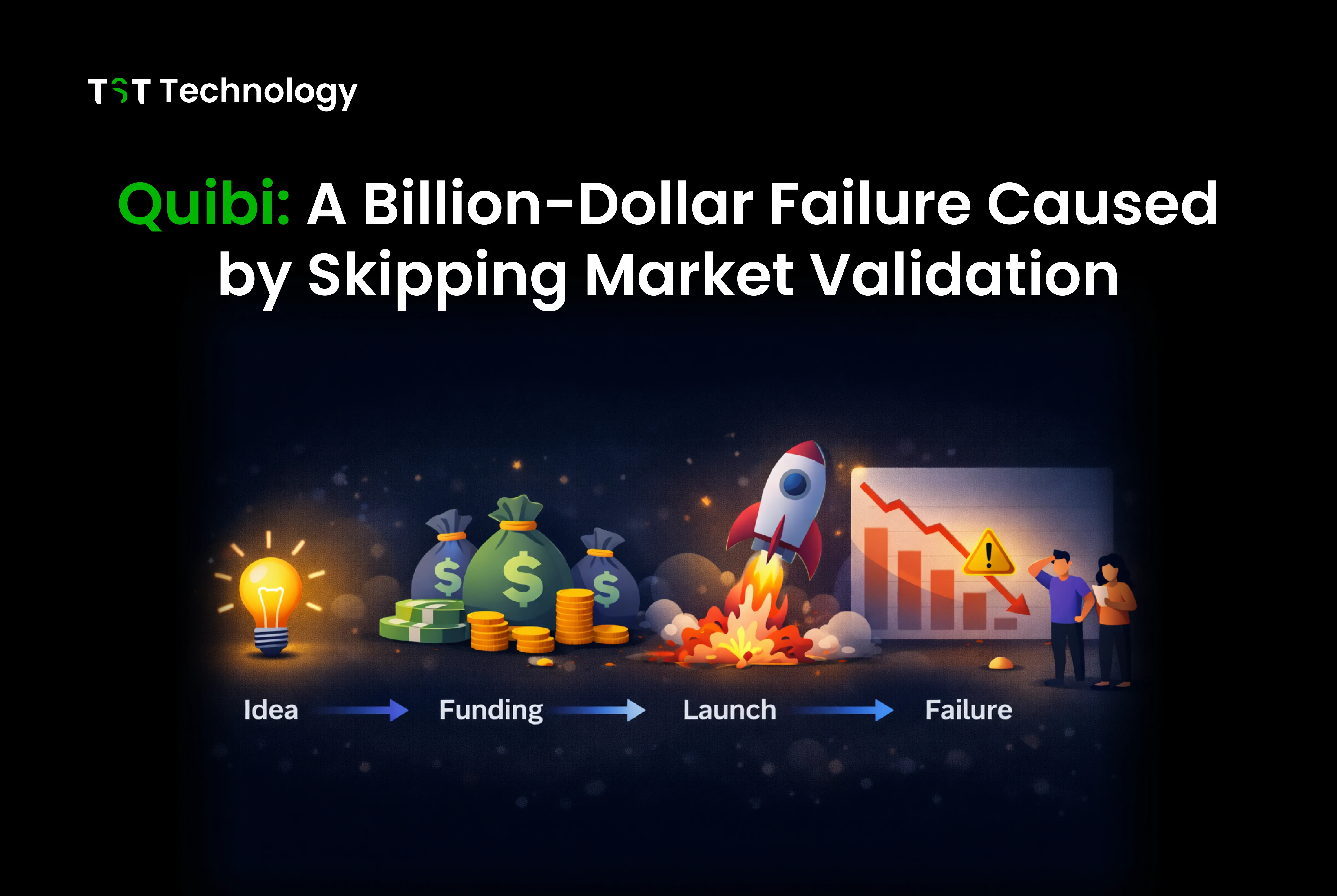
For every success story, there are cautionary tales. Quibi's spectacular failure illustrates what happens when you skip the early stages of the SaaS lifecycle, particularly market validation, and jump straight to building at a massive scale.
Quibi raised $1.75 billion before launching a single product. They hired hundreds of employees, signed A-list talent for content, and built sophisticated technology for mobile video streaming. Jeffrey Katzenberg and Meg Whitman led the company with decades of entertainment and business experience between them.
But they made one critical error: they assumed they understood what users wanted without actually testing that assumption. Quibi's core premise was that people wanted premium short-form video content designed specifically for mobile phones, content you could watch in "quibi" (quick bites) during spare moments.
The problem? They never validated whether people actually wanted this enough to pay for it. They didn't run a limited beta to see if the behaviour they assumed existed actually existed. They built for a use case, watching premium content on phones in short bursts, that turned out to be far less compelling than they'd imagined.
Six months after launch, Quibi shut down. They'd spent nearly $2 billion building something that almost no one wanted to use.
The lesson is stark: no amount of funding, talent, or technology can compensate for skipping market validation. Quibi had the resources to test their assumptions with a small beta, to iterate based on feedback, to find product-market fit before scaling. Instead, they scaled first and hoped the market would follow.
For SaaS founders, Quibi is a reminder that the early stages of the lifecycle aren't just boxes to check; they're risk mitigation. The reasons most SaaS products fail often trace back to assumptions that weren't tested. Spending a few months and a small budget validating your concept is infinitely cheaper than building the wrong thing at scale.
These three cases: Slack's feedback-driven iteration, Notion's patience for quality, and Quibi's cautionary rush to scale, illustrate the range of outcomes that await depending on how you navigate the SaaS lifecycle. The patterns are clear: listen to users, build solid foundations, and never assume you know what the market wants without asking.
Common Challenges in the SaaS Product Development Lifecycle (and How to Solve Them)
Every SaaS team hits obstacles. The difference between teams that succeed and those that stall isn't avoiding challenges; it's recognizing them early and having strategies to address them.
Here are the five challenges we see most frequently, along with practical approaches for solving each.
Challenge 1 – Achieving Product-Market Fit Uncertainty
Product-market fit is the elusive state in which your product satisfies a strong market demand. It's the difference between struggling for every sale and having customers beat a path to your door. But recognizing when you've achieved it and what to do when you haven't is genuinely difficult.
The symptoms: You're working hard, rd but growth is slow. Users sign up but don't stick around. Sales cycles are long and unpredictable. You keep adding features, es hoping something will click.
The solution: Get systematic about validation. Product-market fit is not just a feeling; it can be measured. Track retention rates closely. If fewer than 40% of users remain active after the first month, you likely have not found product-market fit yet. Talk to churned users to understand why they left. Also, speak with active users to learn what keeps them engaged.
Sometimes the issue is the market; you're solving a problem people don't care enough about to pay for. Sometimes it's the product that solves the right problem, but in a way that doesn't resonate. Sometimes it's the positioning that makes users unsure of how you help them. Diagnoswhatch it is before trying to fix it.
Don't be afraid to pivot if the data points that way. Many successful SaaS companies started as something different. The key is making data-informed decisions rather than emotionally clinging to your original vision.
Challenge 2 – Scaling Complexity as User Base Grows
Growth creates its own problems. The architecture that handled your first thousand users crumbles under the load of your first hundred thousand. The processes that worked for a team of five break down when applied to a team of fifty. Features that were simple become complex as edge cases multiply.
The symptoms: Page load times increase. The system goes down during traffic spikes. Database queries that used to take milliseconds now take seconds. Your team spends more time fighting fires than building features.
The solution: Scale proactively, not reactively. Monitor your system's performance metrics and set thresholds for when to scale each component. Database slow query logs reveal where indexing or query optimization is needed. Load testing reveals bottlenecks before users do.
Architectural decisions made early have scaling implications. That convenient but inefficient query pattern works fine with a thousand rows, but kills performance with a million. Regular architecture reviews help catch these issues before they become crises.
Don't optimize prematurely. Premature optimization wastes time on problems you don't have yet. But do monitor continuously and address bottlenecks as they appear. And invest in observability, good monitoring makes scaling problems visible before they affect users.
Challenge 3 – Team Collaboration Silos (Dev vs QA vs Product)
As teams grow, specialization increases. Developers focus on code, QA focuses on testing, and product managers focus on requirements. This specialisation improves depth but can create silos where teams optimise locally at the expense of the whole product.
The symptoms: Requirements get "thrown over the wall" from product to development. QA finds bugs late when they're expensive to fix. Features get built that don't match what the product imagined. Release dates slip due to last-minute integration issues.
The solution: Cross-functional collaboration from the start. Include QA in requirements discussions so they understand what's being built and can plan testing strategies. Have a product review work in progress rather than waiting for finished features. Run joint planning sessions where everyone understands the goals and constraints.
Shared tools help everyone look at the same project board, the same metrics, and the same customer feedback. But shared context matters more than shared tools. Regular demo sessions where teams show their work create understanding across functions. Rotating team members through different roles, even for short periods, builds empathy for other functions' challenges.
The goal isn't to eliminate specialization; it's to eliminate the boundaries that prevent specialists from working together effectively.
Challenge 4 – Balancing Security vs Speed of Delivery
Security and speed often feel like opposing forces. The fastest way to build something usually isn't the most secure. And comprehensive security measures add friction to development workflows.
The symptoms: Security reviews happen at the end of projects, causing delays. Developers bypass security controls because they're too cumbersome. Vulnerabilities get discovered in production. Security and development teams are in constant tension.
The solution: Shift security left, integrate it into development rather than treating it as a final gate. Automated security scanning in CI/CD catches issues immediately without slowing developers down. Security champions embedded in development teams guide without creating bottlenecks.
Build secure defaults that make the secure way the easy way. If your authentication library defaults to secure settings, developers don't have to remember to enable them. If your deployment pipeline includes required security checks, they happen automatically rather than requiring manual intervention.
Frame security as enabling rather than restricting. Good security practices, like Infrastructure as Code and automated testing, actually speed up development by reducing manual work and preventing rework. When developers see security as a way to make their lives easier, the tension dissolves.
Challenge 5 – Managing Scope Creep & Timeline Delays
Scope creep is the gradual expansion of project requirements after work has begun. It seems harmless, a small feature here, a refinement there, but it compounds. Before you know it, your three-month project has stretched to nine months, and you're still not done.
The symptoms: New requirements keep appearing mid-sprint. Estimates are consistently wrong. Deadlines slip repeatedly. The team feels like they're running but not making progress.
The solution: Ruthless prioritization and clear scope definition. Before starting any project, document what's in scope and what's explicitly out of scope. When new requests come in, evaluate them against this scope. If they're valuable but out of scope, add them to the backlog for future consideration rather than immediate inclusion.
Use a structured product development checklist to ensure the scope is well-defined before development begins. This discipline upfront prevents the chaos of shifting requirements later.
Estimate in ranges rather than single dates. "Three to four months" is more honest than "three months" and acknowledges uncertainty. Track velocity, how much your team actually completes per sprint, and use historical data rather than optimistic projections.
Most importantly, maintain a sustainable pace. Crunch time doesn't scale. Teams that work overtime to hit deadlines create technical debt and burnout that slow future work. Better to deliver less scope reliably than promise everything and deliver nothing on time.
Each of these challenges has led to the premature end of SaaS products. But they're also navigable with the right awareness and practices. The teams that succeed aren't those that avoid challenges; they're the ones that see them coming and have strategies ready when they arrive.
SaaS Product Development Lifecycle Trends in 2026 & Beyond
The SaaS landscape evolves constantly. Technologies that were experimental yesterday have become standard today. Practices that separated leaders from laggards become table stakes. Understanding where the industry is heading helps you make bets that position your product for the future rather than the past.
Here are the five trends that will shape SaaS development over the coming years:

AI-Powered Development – From Coding Assistants to Predictive Roadmapping
Artificial intelligence has moved from novelty to necessity in SaaS development. GitHub Copilot and similar tools now write a significant percentage of the code in many codebases. This isn't just about speeding up developers to focus on architecture and problem-solving rather than syntax and boilerplate.
But AI's impact extends beyond coding. Predictive analytics now inform product roadmaps by analyzing user behaviour patterns and predicting which features will drive engagement. AI-powered testing generates test cases and identifies edge cases humans might miss. Natural language interfaces let non-technical team members query data and generate reports without engineering support.
The next evolution is AI systems that don't just assist but actually manage parts of the lifecycle. Automated bug triage that routes issues to the right engineers. Predictive scaling that adjusts infrastructure before traffic spikes. Personalized onboarding that adapts to each user's specific needs.
For SaaS teams, the imperative is clear: learn to work effectively with AI tools. This means understanding their capabilities and limitations, establishing guidelines for when AI-generated code needs human review, and training teams to use these tools productively. The teams that integrate AI effectively will outpace those that don't.
Serverless & Microservices Architecture Going Mainstream
Serverless computing, where you run code without managing servers, has reached maturity. Platforms like AWS Lambda, Google Cloud Functions, and Azure Functions handle infrastructure management so teams can focus on business logic. You pay only for execution time rather than provisioned capacity, which aligns costs with actual usage.
Microservices architecture, where applications are built as collections of independently deployable services, continues gaining adoption. After years of hype and some cautionary tales about premature decomposition, patterns have emerged for doing microservices well: clear service boundaries, robust inter-service communication, and observability that spans the entire system.
The combination of serverless and microservices allows teams to build highly scalable systems without heavy operational overhead. Each service can scale independently based on demand. Deployments become smaller and safer. Teams can also work on their services more independently without constant coordination.
For new SaaS products, the decision isn't whether to use these technologies but when and how. Starting with a modular monolith and extracting services as boundaries become clear remains sensible advice. But understanding serverless patterns and microservices principles is now essential for any SaaS architect.
Security-First SaaS (DevSecOps as Standard)
The days of treating security as a final checkbox are ending. Regulatory requirements, such as GDPR in Europe, CCPA in California, and industry-specific regulations like HIPAA and PCI DSS, have made security and compliance integral to product development. Customers increasingly demand proof of security posture before signing contracts.
DevSecOps integrates security practices directly into DevOps workflows. It is becoming a standard approach rather than an exception. Security scans run automatically in CI/CD pipelines. Infrastructure is defined in code and audited regularly. Secrets management is centralized and automated to improve security and control.
Zero-trust architecture, where no component trusts any other by default, is replacing perimeter-based security models. This approach assumes breaches will happen and limits their impact through strict access controls and micro-segmentation.
For SaaS builders, security expertise is no longer optional. Understanding common vulnerability classes, secure coding practices, and compliance requirements is as essential as knowing your programming language. The cost of getting security wrongin breach response, lost customers, and regulatory finesfar exceeds the investment in doing it right.
Green Cloud Computing & Carbon-Aware SaaS
Environmental impact is becoming a consideration in technology decisions. Data centres consume enormous amounts of electricity, and customers, particularly enterprise customers, are increasingly asking about the carbon footprint of the software they use.
Cloud providers are responding with commitments to renewable energy and tools for measuring carbon impact. Carbon-aware computing shifts workloads to times and regions where renewable energy is abundant. Efficient code uses less computing and therefore less energy.
This trend will accelerate as regulations around carbon disclosure tighten and as customers factor sustainability into vendor selection. SaaS companies that can demonstrate low carbon intensity will have a competitive advantage, particularly in markets where environmental concerns are prominent.
Practically, this means measuring your application's energy consumption, optimizing inefficient code and infrastructure, and selecting cloud regions with cleaner energy mixes. It's early days for carbon-aware SaaS, but the direction is clear.
Flexible Monetization – Usage-Based & Modular Pricing
The traditional SaaS pricing model, fixed monthly fees per user, is giving way to more flexible approaches. Usage-based pricing aligns costs with the value received, appealing to customers with variable needs. Modular pricing lets customers purchase only the features they need rather than paying for bloated enterprise suites.
API-based products increasingly use metered billingpay for what you consume. Infrastructure tools charge based on resources used. Even traditional application software is experimenting with hybrid models that combine base subscriptions with usage-based components.
This flexibility is driven by customer demand for fairness and by competitive pressure. When a competitor offers usage-based pricing that better matches a customer's variable workload, fixed-price models look expensive and rigid.
For SaaS builders, this means designing pricing systems that can accommodate multiple models. Metering infrastructure that tracks usage accurately. Billing systems that can handle complex pricing tiers. And product architecture that enables feature gating and modular activation.
The lifecycle implications are significant. Pricing isn't just a go-to-market decision anymore; it's a product architecture requirement. Building flexibility from the start is easier than retrofitting it later.
These trends point to a future where SaaS products are more intelligent, more distributed, more secure, more sustainable, and more flexible in how they're delivered and priced.
Staying current with these trends doesn't mean chasing every new technology. It means understanding which trends affect your market, which are mature enough to adopt, and which you should monitor but not yet pursue. The SaaS lifecycle itself,
validate, build, launch, iterate, applies equally to technology adoption decisions.
Conclusion
Building a successful SaaS product isn't about having the best idea or the most funding. It's about following a disciplined process that validates assumptions, manages risk, and iterates based on real feedback.
Start by auditing where your current process stands against the eight stages we've covered. Are you validating assumptions before committing resources? Are you integrating QA throughout development or treating it as a final gate? Are you measuring the metrics that actually predict success? Pick the weakest area and implement one improvement this week. Small process improvements compound over time into significant competitive advantages.
If you're planning a new SaaS product or rethinking your current development approach, schedule a SaaS architecture consultation to discuss your specific challenges. At TST Technology, we've guided dozens of products through this lifecycle, and we've seen what works across different markets and team sizes.
The right guidance at the right stage can save you months of misdirection and help you scale SaaS products effectively once you find your footing.